Works in airplane mode
The AI runs on your laptop, so it keeps answering with the internet off.
Meet AKSA, the AI buddy that sits on your laptop
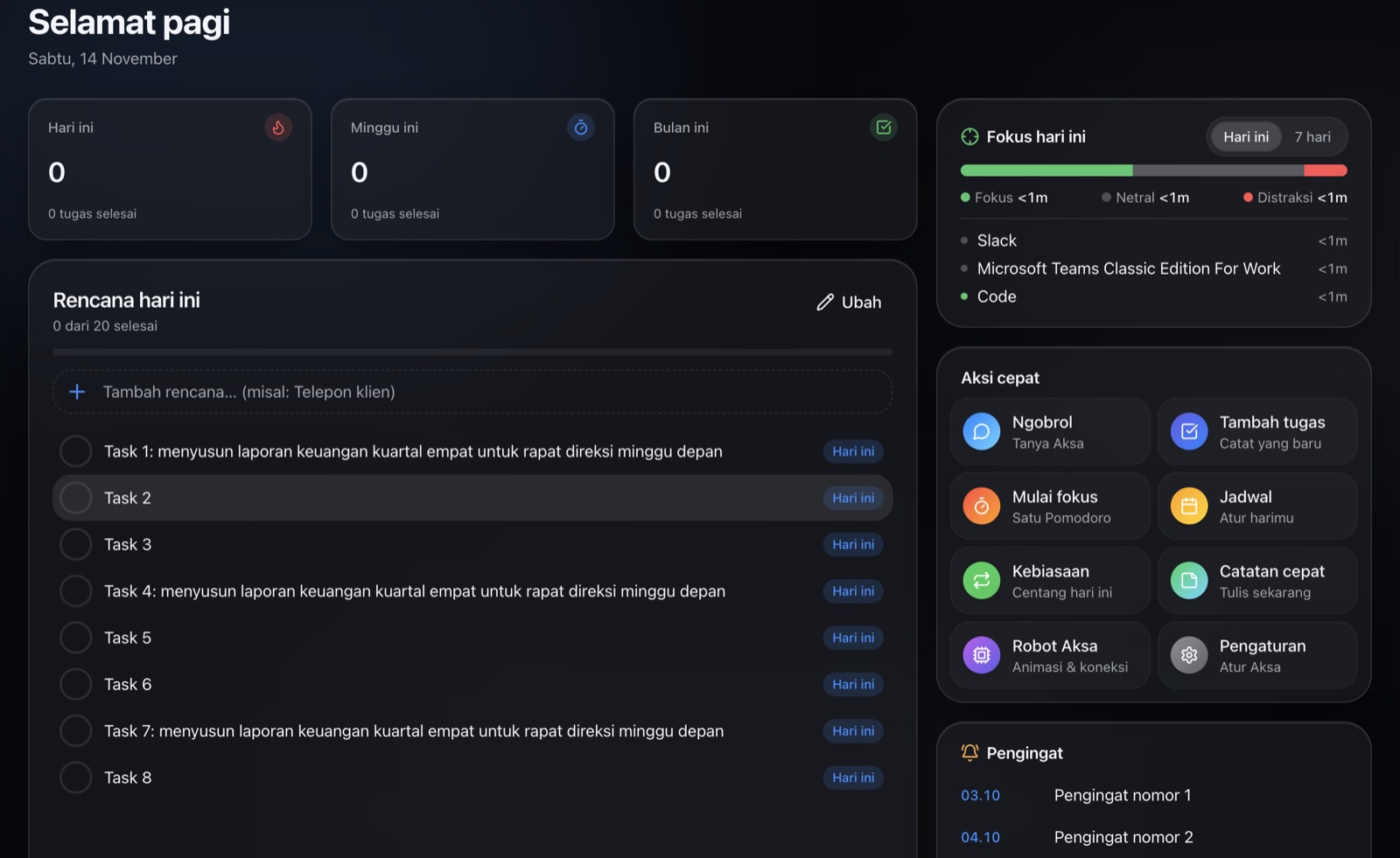
Tasks, Pomodoro, notes and a voice assistant in one app, with a little robot clipped to the corner of your laptop. All of it runs on your own computer.
Apple Silicon Macs and Windows. The AI brain downloads once, about 3 GB.
See what AKSA can doThe AI runs on your laptop, so it keeps answering with the internet off.
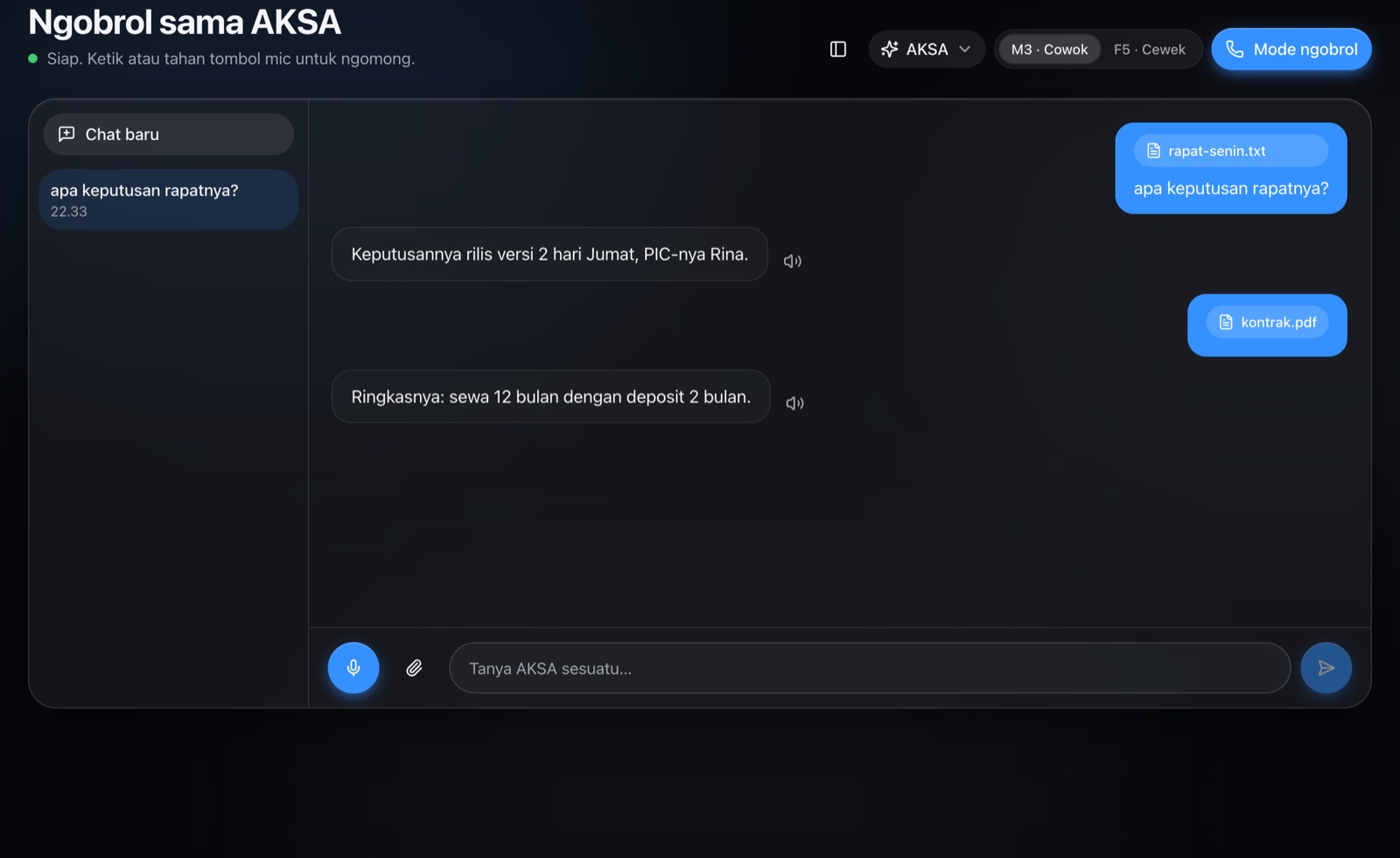
Talk mode: say it out loud, AKSA answers out loud.
Your Pomodoro shows on the robot, and it tells you when to take a break.
Tasks, Kanban and today’s plan. AKSA can add tasks for you from the chat.
Indonesian and English, in five personalities.
Everything else that keeps your day on track.
Block out your day with drag and drop, and see your Google Calendar events right next to it.
Write with blocks, headings and lists. Notes are saved as files on your computer.
Check off daily habits. The robot on your laptop reminds you when it's time.
Press the hotkey, speak, and the text lands in whatever app you're using.
Ask about your notes, PDFs and Word documents in the folders you choose. AKSA answers and shows where it found it.
Ask anything, get a PDF summarised, or have AKSA create tasks for you. The AI model runs on your computer, not on someone else's server.
Privacy
Your tasks, notes, chats and voice are processed and stored on your own computer. Nothing is sent to an AI provider.
The AI brain, the voice (text-to-speech) and the ears (speech-to-text) all run locally.
After the first setup, chat, voice and every productivity feature keep working without internet.
The microphone is on only in Talk mode, the chat mic button or voice typing. Audio is never stored or uploaded.
No analytics, tracking or ads. Web search is off by default.
Illustration. Product photos coming soon.
Robot
AKSA has a physical friend: a small robot with a 1.64-inch AMOLED touchscreen and a hairline bezel. It clamps onto the left side of your laptop screen, near the top, and connects over USB.
The robot shows animations and reactions. You can upload your own animations to its slots.
The Pomodoro running in the app shows on the robot's screen, no window needed.
Tap the robot's screen to start talking to AKSA.
The robot has no microphone or camera that records. It only receives animations and Pomodoro state.
Requirements
Aksa is free on your laptop. Aksa Pro is one payment, yours forever: the desk robot features, a smarter cloud brain and more web searches.
Get Aksa ProFAQ
Yes. Once AKSA is installed and its AI brain is downloaded, chat, voice, tasks, Pomodoro, notes and search across your files all work without internet. Features that need the internet, like Google Calendar and web search, are only active if you turn them on.
No. Your tasks, notes, chats and voice are stored and processed on your computer. For sign-in, AKSA only stores your email address on the AKSA account server.
Yes, you sign in once with Google or a code sent to your email. Your work is not sent along.
No. The app works on its own. The robot adds a timer on your laptop, animations, reminders and tap to talk.
The AI only loads when you use it and needs about 3 GB of RAM while active. While you work in other apps, AKSA stays light.
The app and the AI are available in Indonesian and English. AKSA's voice is tuned for Indonesian.
AKSA is not yet signed by Apple or Microsoft. The install guide explains the one-time steps to open it safely.
Download, install, and let your little robot guard your focus.